

Fast Internet, Still Broken Apps? Fixing Jio IPv6 Issues with Cloudflare WARP
Ankit Suyal
@ankitsuyal
This post comes from a real problem I was facing — not a theory, not a lab test.
My internet speed was perfectly fine. Downloads were fast. Streaming worked.
Yet some apps, tools, and VPN-based software simply refused to behave.
Connections failed. Apps buffered endlessly. Some software worked one moment and broke the next.
The issue wasn’t speed. It was the network itself.
The Hidden Problem: Jio’s IPv6-Only Network
Jio provides IPv6-only internet for many mobile and broadband users.
On paper, IPv6 is modern and powerful. In practice, many applications still expect IPv4.
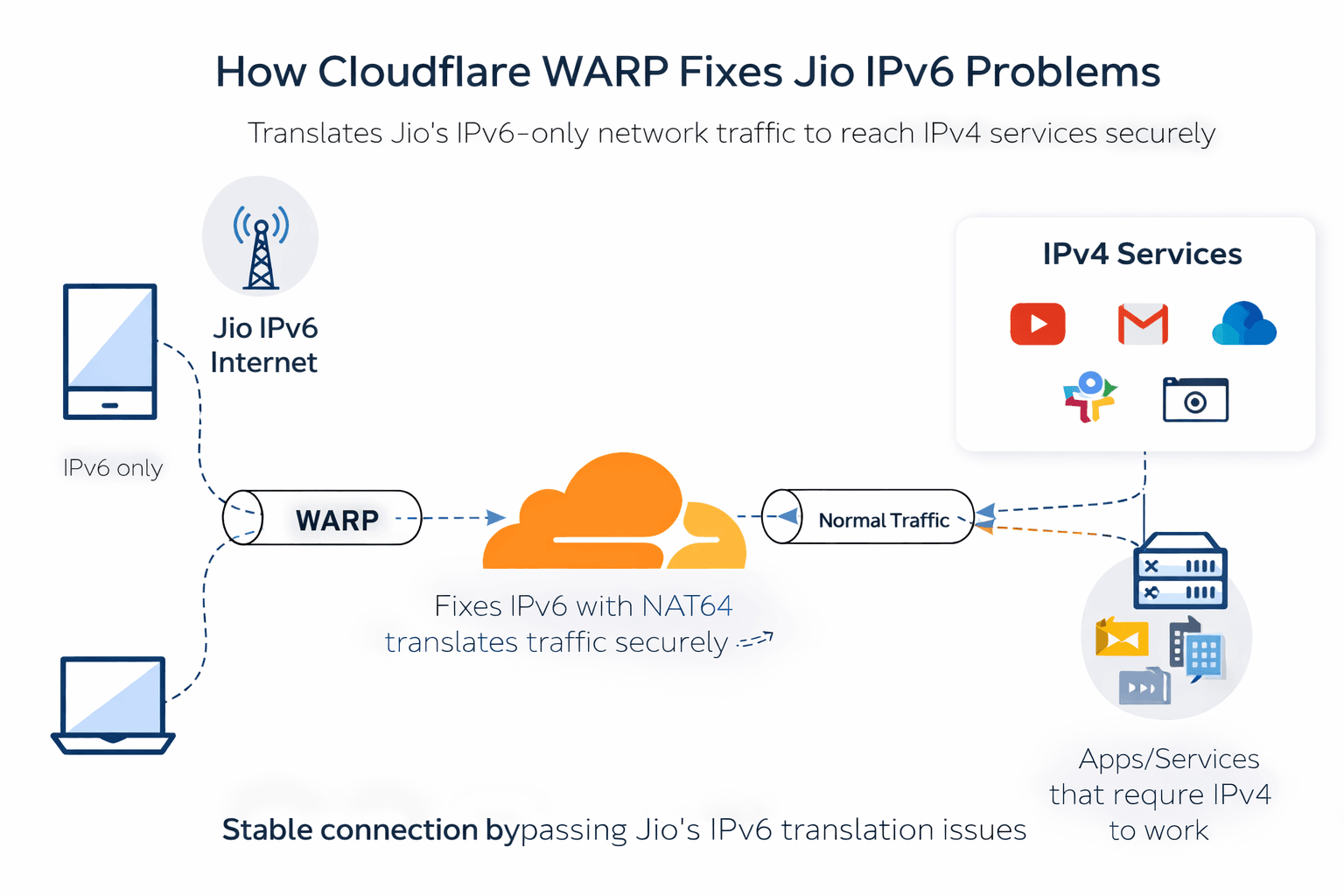
To bridge this gap, Jio uses NAT64 translation.
This means:
- Your device runs IPv6
- Apps try to reach IPv4 servers
- Jio translates traffic in the middle
That translation layer is where things often go wrong.
Some apps:
- don’t fully support IPv6
- fail during authentication
- break VPN handshakes
- buffer despite fast speeds
The result feels confusing — because speed tests look perfect.
Why VPNs Often Fail on Jio
Many people assume:
“I’ll just use a VPN and it’ll fix everything.”
But most VPNs:
- still rely on the ISP’s IPv6 routing
- don’t force a clean IPv4 tunnel
- struggle on NAT64 networks
So the problem stays.
What you need is not just a VPN — you need a stable tunnel that bypasses IPv6 translation issues.
The Simple Fix That Actually Worked: Cloudflare WARP
Cloudflare WARP is not a traditional VPN.
It creates a secure, optimized tunnel through Cloudflare’s global network and handles IPv6/IPv4 compatibility far better than most solutions.
Once enabled:
- Apps stop breaking
- VPNs connect more reliably
- Random buffering disappears
- Network behavior becomes predictable
No speed hacks. No shady routing. Just clean connectivity.
Setting It Up (Quick Overview)
- Install Cloudflare WARP (1.1.1.1 app)
- Enable WARP mode (not DNS-only)
- Connect and leave it running
That’s it.
No advanced configuration. No tweaking IP tables. No router changes.
The Real Takeaway
If your internet feels fast but unreliable:
- speed is not the problem
- IPv6 translation usually is
This is especially common on:
- Jio mobile data
- Jio broadband
- IPv6-only ISP networks
Cloudflare WARP doesn’t magically “boost” your internet — it stabilizes it.
And sometimes, stability matters more than raw speed.
When This Won’t Work
To be honest, there are cases where WARP isn’t enough:
- apps that hard-require native IPv4
- corporate systems that block Cloudflare IPs
- offices that restrict all VPN traffic
In those cases, a native IPv4 network (like Airtel) is still the cleanest solution.
Final Thoughts
This wasn’t about tweaking settings or chasing speed numbers.
It was about understanding how modern networks work — and where they still fall short.
If you’re facing similar issues, try fixing the network path, not the bandwidth.
Sometimes, that’s all it takes.
Loading comments…